
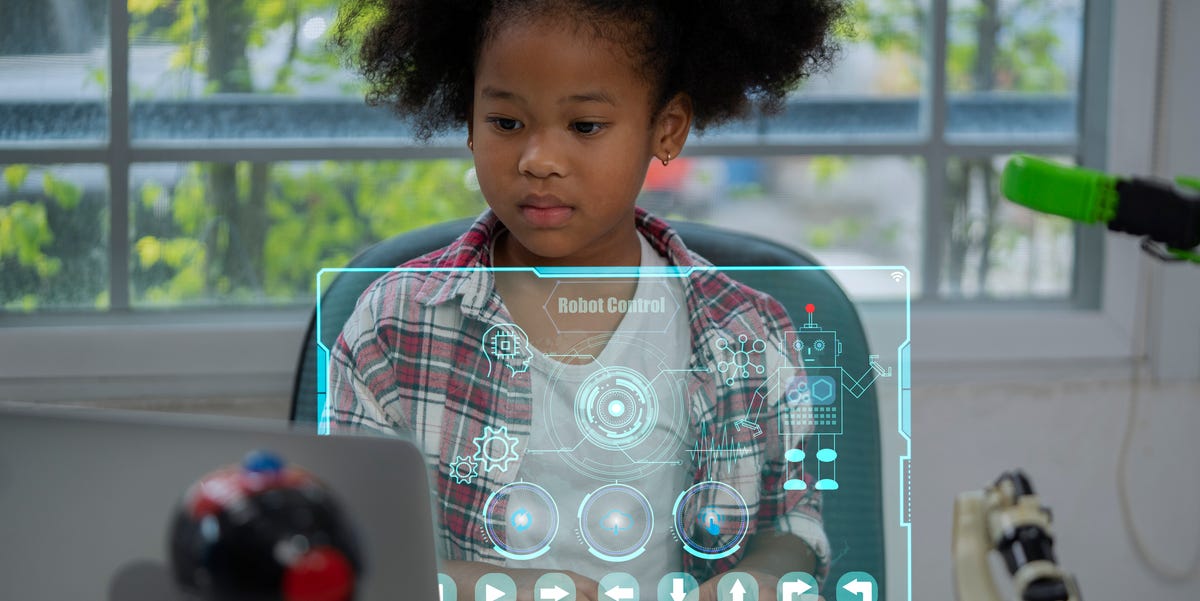
15 Best Coding Games for Kids

15 Best Coding Games for Kids

If you’re a parent, then chances are you’ve heard endless debates about how screen time affects children. And while it’s always a good idea to encourage your kids to put down their phones, tablets, and laptops in order to get some fresh air, there’s nothing wrong with giving your children some screen time — especially if they’re learning something with their devices. Looking for some educational online games that your kids will actually enjoy? Then you’ll want to check out the best coding websites and games for kids, which can nurture everything from problem-solving skills to critical thinking to creativity.

Learning to code has many benefits that can help kids out later in life, too. In addition to being a skill that’s highly valued in the workforce, coding teaches people how to work more efficiently and logically. As Steve Jobs once said, “Everyone in this country should learn how to program a computer, because it teaches you how to think.” Of course, it might help to know a little bit more about coding and its benefits before you get your children started (and no, teaching your kid to code doesn’t mean you expect them to become the next Steve Jobs). Here’s what you should know about coding programs for kids:

What is coding, in simple terms?

Simply put, coding is telling a computer or machine how to perform a task. As a rep from Raspberry Pi Foundation explains, “Coding is one aspect of digital making. When you write code, you are writing instructions for a computer to follow.” As complex as they may seem, computers are actually simple devices, so that’s why you have to give them really simple instructions that you then build into a complex set of rules. And learning how to provide those instructions isn’t just helpful for computers — it challenges programmers to communicate with computers in a way that makes sense.

Why is coding good for kids?

Teaching your kid how to code won’t just make them a computer whiz — it will teach them plenty of other valuable skills as well. “When young people are given opportunities to learn and create with code, they can do incredible things, from expressing themselves creatively, to highlighting real-world issues or controlling a robot,” the Raspberry Pi Foundation rep says. “Coding also helps develop young people’s resilience and problem-solving skills, as debugging is a key part of the process to ensure their code works correctly.” Yes, they may get frustrated at times, but it’s all part of the process!

At what age can a child start coding?

Just like when learning a new language, it’s both better and easier to learn coding skills from a young age. “There is research into children being able to learn aspects of coding from the age of three, as well as during kindergarten and early elementary school,” the Raspberry Pi Foundation rep explains. “Younger children typically learn coding by programming graphical symbols. Then they move on to block-based coding and text-based coding.” Start by introducing your child to a simple game, and then work up to more complex games as they develop their skills.

The best coding games and programs for kids of 2022

If you’re looking to get your kid interesting in coding, then coding websites and games are the best way to do it. Not sure where to get started? Start with our list of the best kid-friendly coding websites and games, many of which your children can play for free.

  • Platform: iOS, Android, Kindle Fire
  • Pricing: Free
  • Age range: 4 and up

Think your preschooler is too young to learn coding? Think again. Code Karts makes coding for kids as young as four years old possible, using racetrack-themed logical puzzles and over 70 different levels (as well as two different game modes).

PLAY NOW

With interactive games and over 70 different lessons, Kodable manages to break down computer science topics into basic concepts that kids as young as four years old can understand. Kodable also allows users to unlock new avatars as they advance through levels to keep ’em incentivized.

PLAY NOW

  • Platform: iOS, Android, Kindle Fire
  • Pricing: Free
  • Age range: 5 to 7

Perfect for young learners, ScratchJr is introductory programming language that lets kids create their own interactive stories and games. By programming blocks and animating their characters, users are exposed to new math and language concepts, as well as the building blocks of programming.

PLAY NOW

Developed by research from MIT, Princeton, and Carnegie Mellon, codeSpark Academy teaches all of the fundamentals of computer programming through daily activities, puzzles, and games personalized for your child’s skill level. Best of all, new content is released monthly, so your kids will never get bored.

PLAY NOW

Another great option for little ones, CodeMonkey is an online community that helps kid with no prior experience learn how to code. Children will love the game-based education, and parents will love how CodeMonkey allows you to monitor your child’s progress as they develop new skills.

PLAY NOW

Designed to make programming accessible and fun for kids as young as five years old, Tynker gives kids the ability to write interactive stories, program drones, and explore other STEM topics, regardless of their prior experience. It can even be played offline without internet connectivity, so kids can play on the go.

PLAY NOW

  • Platform: Browser
  • Pricing: Free
  • Age range: 8 to 11

Designed by programmers at MIT, Scratch is the world’s largest free coding community for kids. It’s a place where users can use code to create stories, games, and animations, whether they’re just getting started or ready to take on more complicated topics and concepts.

PLAY NOW

  • Platform: Browser
  • Pricing: Free
  • Age range: 9 to 13

Created by Raspberry Pi Foundation, Code Club World allows older kids to get started on their coding journey with fun activities and no coding experience necessary. Children can create a robot avatar, make music, design a T-shirt, or even teach the robot to dance. They also earn a badge for each project they complete and are able to share their coding creations.

PLAY NOW

  • Platform: iOS, Android, Kindle Fire
  • Pricing: $2.99 for app
  • Age range: 9 and up

LightBot is a programming game that challenges users to solve different puzzles using commands, all while learning basic programming concepts. With 50 different levels, this one is sure to keep kids occupied for a while (and for kids aged four to eight, there is also an easier version called LightBot Jr.).

PLAY NOW

One of the most straightforward coding games for kids, CodeCombat combines the world of fantasy (think: knights and dragons) with the basics of coding. Each lesson is introduced as another chapter in the overarching storyline of the CodeCombat universe, which is what makes this game so fun.

PLAY NOW

  • Platform: iOS
  • Pricing: Free
  • Age range: 10 to 15

First introduced on Shark Tank, Hopscotch is a platform that allows kids to explore projects, make their own games, and learn how to code along the way. The free app even provides detailed video tutorials that teach users how to make games, animations, and apps to experience how software is created.

PLAY NOW

  • Platform: Mac, Nintendo Switch, Nintendo Wii U, PlayStation 3, PlayStation 4, PlayStation Vita, Windows, Xbox 360, Xbox One
  • Pricing: $6.99 (app), $26.95 (PC and Mac)
  • Age range: 10 and up

Perhaps the best known coding game for kids, Minecraft is all about using blocks to build objects, interact with other characters, and progress to new levels. It may sound simple, but it gives players the freedom to create and explore almost limitlessly (while also fulfilling missions and going after goals).

PLAY NOW

  • Platform: iOS
  • Pricing: Free
  • Age range: 10 and up

Though only available on iOS devices, Swift Playgrounds is still known as one of the best apps teaching coding for kids. By playing, kids can play and experiment with code through interactive puzzles, all while learning the basic terms and functions of coding.

PLAY NOW

  • Platform: iOS, Android
  • Pricing: Free
  • Age range: 12 and up

With tons of mini lessons, projects, and challenges, Mimo is a platform that makes learning how to code fun and accessible. The site offers daily goals, streaks, and achievement badges that’ll teach kids to build websites, automate tasks, make apps, and more — all while feeling like they’re playing a game.

PLAY NOW

  • Platform: Browser
  • Pricing: Free
  • Age range: 12 and up

Also created by Raspberry Pi Foundation, Projects is a catalog of more than 250 free coding projects for young people to explore and further enhance their coding skills. From creating a stress ball app, to coding musical instruments, to making a racing game, there are tons of projects available, and each project is designed to be completed in an hour.

PLAY NOW

This content is created and maintained by a third party, and imported onto this page to help users provide their email addresses. You may be able to find more information about this and similar content at piano.io
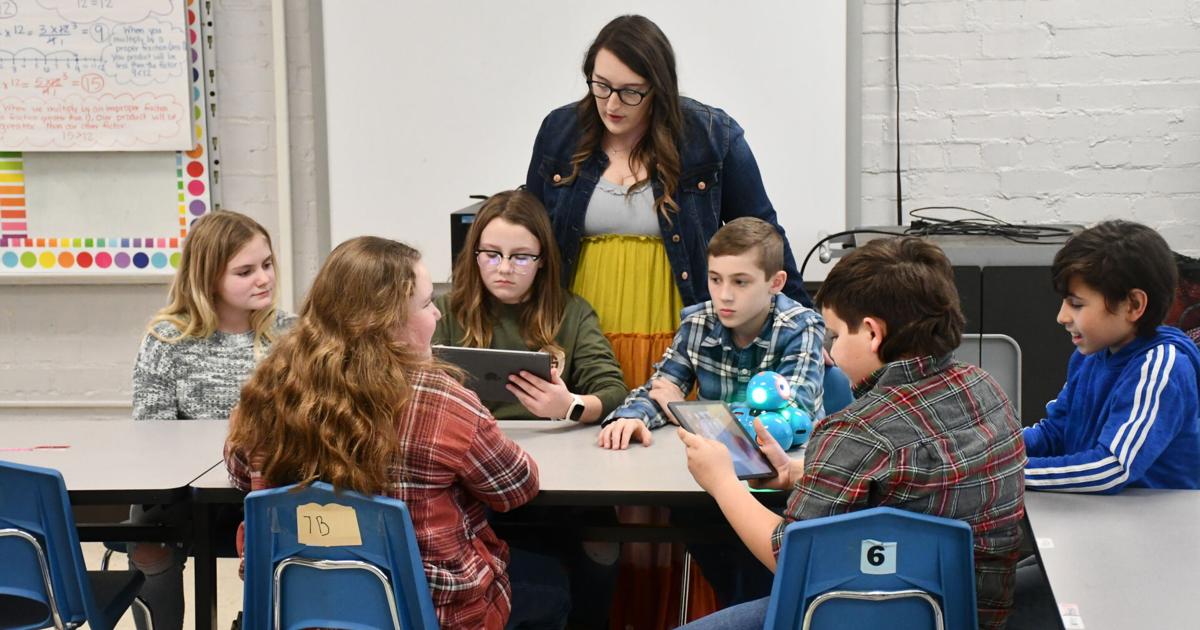
Watch now: Coding Corner opens at Bluff City Elementary School | Education

Watch now: Coding Corner opens at Bluff City Elementary School | Education

BLUFF Metropolis — Laptop coding and robotic mastering are alive and perfectly in Ashley Rhea’s fifth-grade classroom at Bluff City Elementary Faculty.

And that is thanks to a $5,000 TVA Classroom Grant she gained this calendar year.

Thursday marked the very first time the Coding Corner in Rhea’s classroom was stocked and in use.

TVA President Jeff Lyash, Bristol Tennessee Crucial Products and services (BTES) CEO Mike Browder, and TVA Johnson City location shopper services engineer Scott Houlsee presented the common “giant check” to Rhea, Principal Hank Hare and Assistant Principal Leigh Anne Rasnake on Thursday afternoon.

Apart from distributing electrical energy from TVA, limited for Tennessee Valley Authority, BTES also gives net, phone and television in its support area.

Afterward, 6 college students shown the 6 Dash Robots controlled by 6 iPads to the visitors and media. Another six Bee-Bots, intended for youthful students, some Blue-Bots and the controllers also had been acquired with the grant money.

“We have some of our engineers at TVA utilizing robots just like you use here,” Lyash informed 6 learners: Axl Lowe, Jayleigh Barrett, Grady Burke, Leeann Phelps, Mason Ambrose and Emily Kelley. “That’s rather awesome.”

Emily stated learners of Rhea, a science and math instructor and East Tennessee Condition University graduate in her second yr of teaching at Bluff City, already have mentioned strategies the robots and controllers can be made use of in academic subjects exterior computer system coding, such as looking through and social students.


Ashkey Rhea

Bluff Metropolis Elementary School fifth grade math and science trainer Ashley Rhea


Rhea mentioned she was a person of the initial 12 ETSU learners in the iSLICEE or Integrating Stem and Literacy with Computation in Elementary Instruction software, creating her an iSLICEE fellow a few yrs back.

Rhea mentioned the pupils ended up working with the robots and iPad controllers for the first time Thursday, which Lyash explained impressed him due to the fact of their mastery of the controls. Even so, quickly thereafter a single of the Dash Robots took a tumble off a table onto the tricky floor. It survived with no obvious problems, and Houslee said he’s viewed the robots get really a pounding with out missing a defeat.

“Maybe we require to pad the ground. What do you believe?” Lyash requested the 6 college students demonstrating the coding products.

Jaleigh was amongst students who operated the robots for the website visitors, and Axl stated in response to a dilemma from Lyash that his beloved matter about the robots was controlling their voices and movements. Aside from obtaining the robots speak, the learners also could make them audio like cows or other animals.

“I want to be a dental hygienist,” Emily informed Lyash when he asked about foreseeable future ideas, and Lyash responded that know-how would be further more highly developed by the time she will become one.

Lyash said that he perfectly remembers his fifth-grade teacher, Mr. Hummel.

“I hope they try to remember me,” Rhea responded.

The college students indicated they would and were being still with her, manipulating the robots with coding just after the website visitors still left.

Mike Browder, 80, is retiring at year’s end as head of Bristol Tennessee Critical Solutions, where he has labored because 1972 and has headed considering the fact that 1977. Apart from distributing electricity from TVA, small for Tennessee Valley Authority, also offers world wide web, mobile phone and tv in its provider location. He retains a doctorate of instructional leadership and plan assessment from East Tennessee Condition University, a master’s of administrative science diploma from the College of Alabama Huntsville and a bachelor’s of electrical engineering from Auburn College. He is a registered experienced engineer in Tennessee and Alabama.