
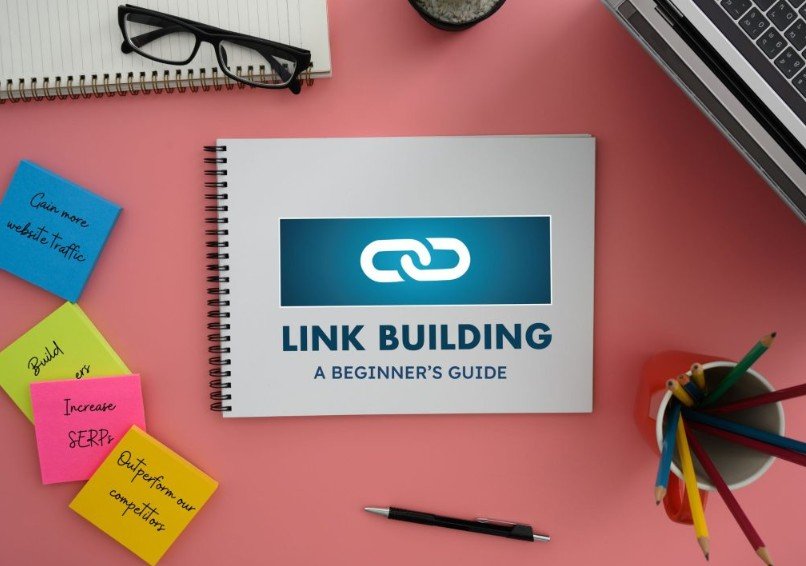
A Practical Guide to Link Building for Educational and Content Websites

A Practical Guide to Link Building for Educational and Content Websites

For a book blog, learning resource or independent publication, a useful article is only part of the work of reaching readers. People also need a way to discover it. Links from relevant websites can help audiences find your pages and give search engines context about how your content fits into a wider subject. The best approach is not to collect as many links as possible, but to earn placements that make sense for readers.

What link building means for publishers

Link building is the process of encouraging other websites to link to your content. A link may appear in a guest article, within an existing page, or as a mention of your publication or brand. Each format has a different purpose: a guest post can introduce your expertise to a new audience, while a link in an established article may direct readers to a helpful resource that adds detail.

For education and book-related sites, relevance matters especially. A link from a teaching resource, literacy organisation or publication covering the same subject is more likely to be useful than one placed on a site with no meaningful connection. Readers should be able to understand why the link is there and what they will gain by following it.

Start with content worth citing

Before approaching other publishers, review your own pages. A clear guide, original interview, reading list, lesson resource or carefully researched explainer gives another writer a reason to refer to your site. Make the page easy to use: give it a specific title, organise it with descriptive headings, cite reliable sources where appropriate and update information that may become outdated.

Think about what a reader might search for while working on a related task. A teacher planning a unit, for example, may value a concise book list with age ranges and discussion prompts. A parent might need practical guidance on choosing a first chapter book. Content that answers a particular question is easier to recommend than a page that makes broad claims without useful detail.

Choose opportunities with care

Check the subject fit

Read the site, not just its headline statistics. Does it publish material for an audience that would plausibly care about your page? Are its articles edited and useful? A website’s topic, tone and readership can tell you more about a potential placement than a single authority score.

Assess the page and placement

Consider whether the link would appear in a relevant article, whether the surrounding text explains its value, and whether the page is accessible to readers. Look at the site’s recent publishing history and the quality of its existing links. If a page is crowded with unrelated promotions or appears to exist only to host links, it may not be a sound fit.

Keep the reader’s interest first

Write outreach that explains the specific contribution you can make. For a guest post, pitch an original angle rather than offering a recycled article. For a link insertion, point to a genuine gap in an existing page and explain how your resource fills it. A relevant mention should be natural within the text; awkward anchor wording can undermine trust.

Services such as iCopify’s link-building options can help businesses and agencies find guest-post, niche-edit, insertion and brand-mention opportunities. If you use a marketplace, compare placements by niche, audience, traffic, authority and price, then inspect the actual site and page yourself. A platform can make options easier to organise, but it cannot replace editorial judgement.

Plan the work and measure what matters

Set a modest, repeatable process. Keep a list of relevant publications, record who you contacted and note the subject of each pitch. Agree on the intended page, anchor text, timing and any editorial requirements before work begins. Avoid promising a particular search ranking: results depend on many factors, and no individual link can guarantee a position.

Measure outcomes beyond the number of links. Check referral visits, engagement on the linked page, new enquiries or subscriptions, and whether the placement brings the right kind of reader. Search visibility may take time to change. Reviewing performance over several months can help distinguish a worthwhile relationship from a placement that looked attractive on paper but sent no meaningful audience.

If you need help preparing articles, visuals or outreach material, a freelancer marketplace such as Osdire lets buyers find services across fields including writing, design and marketing. Its flat pricing and held-payment process can make the terms easier to understand: payment is released after the delivered work is approved. As with any freelancer arrangement, provide a clear brief and agree on revisions and deadlines in advance.

Conclusion

Good link building is an extension of publishing useful work. Create resources people have a reason to cite, seek out sites with a genuine audience connection, and judge each placement by its relevance and reader value rather than by a metric alone. With a careful process, links can support discovery while strengthening the relationships between publishers, educators and readers.


Computer Vision Projects: What Actually Worked for Me (and What Didn’t)

Computer Vision Projects: What Actually Worked for Me (and What Didn’t)

Why I Started Building Computer Vision Projects

I got into computer vision thinking it would be simple—just feed images into a model and boom, results. Yeah… that’s not how it went.

My first attempt at a computer vision project was honestly messy. I tried building an object detection system without understanding image preprocessing. The model kept misclassifying things, and I remember staring at my screen thinking, “Why is a cat being detected as a toaster?”

That’s when I realized something important: computer vision projects are less about flashy models and more about understanding the pipeline—data, preprocessing, training, and evaluation.

Once I accepted that, things started to click.

Beginner-Friendly Computer Vision Projects That Actually Teach You Something

1. Image Classification (My First Real Win)

This is where I’d tell anyone to start.

I built a simple image classifier using a small dataset of fruits—apples, bananas, oranges. Nothing fancy.

At first, I didn’t even normalize the images properly. The model accuracy was terrible. Like, embarrassingly bad.

After learning about:

  • Resizing images
  • Normalization
  • Train/test splits

My accuracy jumped from around 40{7c805e3a84039861599abe2ed3962c441b6006fa3f33c476e4abdd4a1bde09da} to over 85{7c805e3a84039861599abe2ed3962c441b6006fa3f33c476e4abdd4a1bde09da}.

That moment felt like a breakthrough. It showed me that data preparation matters more than model complexity.

2. Face Detection Using OpenCV

This project felt more “real-world.”

I used OpenCV’s Haar cascades to detect faces through a webcam. It worked… but not perfectly.

Sometimes it detected random objects as faces. Curtains, shadows—you name it.

Still, it taught me:

  • How real-time detection works
  • The limitations of pre-trained models
  • Why lighting conditions matter

And yeah, lighting matters way more than people think.

3. Object Detection with YOLO (Where Things Got Serious)

This one was a bit overwhelming at first.

I tried using YOLO (You Only Look Once) for object detection. The setup alone took me hours.

But once it worked, it felt powerful.

I could detect:

  • People
  • Cars
  • Everyday objects

But here’s the catch—custom training is hard.

Labeling images manually? That’s tedious. I underestimated how long it takes.

Still, this project gave me a real sense of how computer vision is used in industries like security and self-driving systems.

Intermediate Projects That Pushed My Limits

4. Hand Gesture Recognition

This one nearly broke me. Not gonna lie.

I used a combination of MediaPipe and a classifier to recognize hand gestures.

The challenge wasn’t the model—it was consistency.

Different lighting, hand angles, and backgrounds kept messing things up.

But I learned:

  • Feature extraction techniques
  • Importance of consistent datasets
  • Real-time processing constraints

When it finally worked, it felt like magic.

5. Image Segmentation Project

Segmentation is a whole different level.

Instead of just detecting objects, you’re identifying exact pixel regions.

I worked on a simple project to segment roads in images.

At first, the output looked like abstract art. Completely unusable.

After tweaking the model and improving the dataset, it became somewhat accurate.

This project taught me patience. A lot of it.

Advanced Computer Vision Projects Worth Trying

6. Real-Time Emotion Detection

This project combines face detection with emotion classification.

Sounds cool, right? It is—but also tricky.

The hardest part was getting a reliable dataset.

Emotions are subjective, and labeling them isn’t always accurate.

Still, it’s a great project to showcase in a portfolio.

7. OCR (Optical Character Recognition) System

I built a basic OCR system to extract text from images.

It worked well on clean images. But messy backgrounds? Not so much.

That’s when I learned about:

  • Image thresholding
  • Noise reduction
  • Text detection vs recognition

It’s a practical project with real-world applications like document scanning.

8. Self-Driving Car Simulation (Mini Version)

Okay, this one was ambitious.

I tried building a simple lane detection system for a simulated driving environment.

Edge detection, Hough transforms—it got technical fast.

But this project gave me insight into how computer vision powers autonomous vehicles.

And yeah, it’s harder than it looks.

Common Mistakes I Made (So You Don’t Have To)

Ignoring Data Quality

I used random datasets without checking quality.

Bad data = bad results. Simple as that.

Overcomplicating Models Too Early

I jumped into deep learning before mastering basics.

Big mistake.

Start simple. Always.

Not Evaluating Models Properly

I relied only on accuracy.

Later, I realized metrics like precision, recall, and F1-score matter more in many cases.

Tools and Libraries That Helped Me the Most

Here’s what I ended up using regularly:

  • OpenCV (for image processing)
  • TensorFlow / PyTorch (for deep learning)
  • MediaPipe (for real-time tracking)
  • LabelImg (for annotation)

I tried a few others, but these became my go-to tools.

Practical Tips for Building Better Computer Vision Projects

If I had to give advice based on experience:

Start small. Don’t jump into complex systems immediately.

Focus on understanding:

  • Image preprocessing
  • Dataset handling
  • Model evaluation

Also, document your work.

I didn’t do this at first, and it made debugging harder.

Another tip—test in different environments.

Lighting, angles, and backgrounds can completely change results.

The Emotional Side of Learning Computer Vision

I won’t sugarcoat it—this field can be frustrating.

There were days when nothing worked.

Models failed. Code broke. Results made no sense.

But then… small wins started happening.

A model finally worked. A detection improved.

Those moments make it worth it.

Are Computer Vision Projects Worth It for Your Career?

Absolutely—if done right.

Projects show:

  • Practical skills
  • Problem-solving ability
  • Understanding of real-world applications

But don’t just copy tutorials.

Build something, break it, fix it.

That’s where real learning happens.

Conclusion

Computer vision projects are one of the best ways to learn AI and machine learning, but they’re not as easy as they seem at first.

From my experience, the biggest growth came from making mistakes—bad datasets, wrong models, poor evaluation.

Each project taught me something different, from basic image classification to advanced real-time systems.

If you’re starting out, keep it simple, stay consistent, and don’t get discouraged when things don’t work immediately.

Because eventually, they will.

FAQ: Computer Vision Projects

  1. What is the best beginner computer vision project?

Image classification is the easiest starting point.

  1. Do I need a powerful computer?

Not always. Many beginner projects can run on a standard laptop.

  1. Which programming language is best?

Python is the most widely used for computer vision.

  1. How long does it take to build a project?

Simple projects can take a few hours; advanced ones may take weeks.

  1. Are datasets necessary?

Yes, and their quality significantly impacts results.

  1. Can I use pre-trained models?

Yes, they are commonly used and save time.

  1. Is computer vision hard to learn?

It can be challenging, but manageable with consistent practice.

  1. What industries use computer vision?

Healthcare, automotive, security, retail, and more.

5 Rules To Follow When Choosing A Professional Email Address

5 Rules To Follow When Choosing A Professional Email Address

Trying to get everything right for your business email network? Learn how to get the business email address right. Choosing your custom business email address is a critical step in your professional journey once you buy web hosting and email hosting solutions.

Your professional email ID leaves an imprint on your prospective clients, resulting in user attraction and indicating credibility. If you use one wrong word or element, your email strategy might fall apart.

Instead, make sure you follow the given rules.

What is a Business Email Address?

Suppose you purchase resources from web and email hosting providers and a domain registrar. This allows you to build a comprehensive digital empire for your business, including a domain, website and email network.

A custom business email address is an email ID that is created using your business website’s domain name. For example, suppose your business domain is www.yourbusinessname.com. Your business email address for the accounting department will look something like this: accounts@yourbusinessname.com.

Here are the top 5 rules you need to ensure appropriate professional email.

5 Rules of Choosing a Custom Business Email Address

  • Keep it Professional

Kindly refrain from using nicknames or personal references, like your birthdate. Your business email should reflect the utmost professionalism and make a good first impression. This is why business email addresses like rizzlerroger@business.com should be avoided. It does not suit the format.

Instead, go for a formally structured format that clearly identifies you and your company. For example, if you represent the sales department, your custom business email ID can be sales@business.com.

If you are an authorized representative of the company, use a custom business email ID that goes like roger.donovan@business.com.

  • Use Custom Domain

A custom domain is non-negotiable. Your business domain, the internet address linked to your business website and identity, reinforces your brand image and credibility.

Suppose you open a business account with a name like mybusiness.accounts@gmail.com. This address will not hold your prospects’ attention and will not convince them to trust you.

Invest in a domain-based business email address. It will enhance your brand image and help with consistency online.

  • Memorable and Simple

Keep it short, memorable and simplistic. Users often forget long and complicated business emails. This might lead to an increased bounce rate through email communication.

Avoid long, complex addresses with excessive characters, unnecessary numbers or special symbols. A straightforward custom business email ID ensures clients and customers can reach you without hassle.

  • Avoid Certain Elements

When you buy business email hosting and choose an address for your business, avoid the following elements.:

  1. Numbers and special character
  2. Overly long addresses
  3. Personal email providers
  4. No personal communication details
  5. Avoid your position in the company
  6. Don’t use full names all the time
  7. Random combinations of numbers and letters
  • Purposeful Titles

Even if you purchase cheap or free business email hosting, these services allow email customization. So, when you create email addresses for different functions, ensure you serve a clear purpose. 

Conclusion

Digital communication and email marketing strategies are a huge part of today’s online presence. In order to ensure success in this competitive market, you must have the best business email service and address.

Stay open, imaginative, innovative, and relatable to your audience while adhering to these guidelines. Although your custom business email has no technical limitations, fundamental constraints do exist.

What Is Account Isolation In VPS Server Hosting?

What Is Account Isolation In VPS Server Hosting?

What Is Account Isolation In VPS Server Hosting?

VPS server hosting is a web hosting type that divides one physical server into multiple VMs. This is done using a hypervisor to provide independent resources to each user. When you buy VPS India, you are offered comprehensive features, such as account isolation, which is powered by virtualisation. 

In this article, we will understand account isolation for VPS web hosting in India. Businesses that are planning to create VPS-based infrastructure keep reading.

What is Account Isolation in the VPS server?

Account isolation is a web hosting feature that allows you to create a low-cost, dedicated hosting environment. By coupling account isolation with root access, you can create a web hosting environment based on your website requirements. 

This feature for your VPS hosting gives you immeasurable customisation, which allows you to tailor your environment as you need.

 Advantages of VPS hosting With Account Isolation Feature

  • More Control

The account isolation feature allows you to control your VPS server environment. Thus, you can fine-tune any software or application that you need without having any compatibility Issues. That means you have full control of downloading and editing plugins and software applications based on your needs.

  • Isolation

The Isolation also ensures there is no neighbouring effect, unlike what you see when their usual share of a physical server. This ensures there are competing for resources or issues with regard to security. 

As the environment is isolated, the VPS server remains unmoved by the activities of other users in the sharing environment. This improves performance and risk against security vulnerabilities.

  • Multiple Environments

As the VPS server is powered by virtualisation technology, you can set multiple environments on a single physical server. You can have different OSs and configurations for handling different environments on the same VPS server hosting. This makes it great for testing and handling development, ensuring there is no interference.

  • Complete Privacy

The power hypervisor separates one environment from another. This ensures that there is no risk of security breaches because of other users on the same server, which is not something you see when you go for shared hosting.

  • Better Scalability

Since each environment is independent of the others, upgrading resources like CPU, RAM, and storage does not impact other users. So, you can easily scale your VPS server hosting based on your needs.

  • Simple Troubleshooting

Troubleshooting with VPS server hosting is quite simple, as conflicts are confined to a specific environment. This means that problems can be resolved without affecting other users, which helps with faster resolution and a stable hosting experience overall.

How Does Account Isolation Leverage IP Address?

Powered by account isolation due to virtualisation technology, the VPS server hosting enjoys dedicated resources with root access, which allows it to have a separate IP. This is very different from a shared environment, as the servers are more isolated here.

In shared hosting, when one user sends spam, the entire server IP can be blocked, affecting those users who are sharing it.

However, each VPS server can enjoy its own dedicated IP, which offers better control and security for each server.

Conclusion

Account isolation paired with a reliable but cheap VPS hosting server allows you to have dedicated resources without bearing the hefty cost of dedicated hosting. You get several benefits like more control, higher compatibility, immeasurable customisation, better privacy and robust security.

So, enjoy the account isolation that comes when you buy VPS server hosting and gain these benefits at a minimal cost.

Key Factors to Consider When Choosing Your Managed Dedicated Server

Key Factors to Consider When Choosing Your Managed Dedicated Server

Finding a provider for web hosting in India, especially managed dedicated hosting, can be a difficult feat. However, it is not impossible.

Managed dedicated server hosting refers to a web hosting service in which the service provider completely or partially manages the hosting server. The provider manages and maintains your dedicated server.

If you are purchasing a dedicated server with managed services, you need to consider a few factors before doing so. Let’s discuss these factors in this blog.

Key Factors to Consider When Choosing the Best Managed Dedicated Servers

●        Reviews and Reputation

Research the market thoroughly. In India, the web hosting industry is vast. If you want to find the best web hosting solutions, you will have to go through multiple providers, compare packages and read reviews. The testimonials and reviews offer valuable insights into these hosting providers.

●        Hosting Features and Solutions

The managed dedicated server provider must offer basic and advanced hosting features, such as server monitoring, data backup, backup retention, security scans, security patches, software updates, load balancing and more.

●        High-End Security Features

The best managed dedicated server providers offer high-end security features. Establishing server security is one of the primary requirements one must fulfil.

The provider must offer a comprehensive security protocol that includes regular security patches, DDoS protection, firewalls, SSL certification, remote backups, VPNs, spam filtering and intrusion detection.

●        Optimal Performance Reliability

The reliability of your managed dedicated hosting services refers to its responsiveness. These factors have a direct impact on your server’s performance, offering high uptime, great speed, reduced latency, minimal downtime, no shutdown and hardware failure and more.

The best managed dedicated servers offer high reliability, i.e., uptime of 99.9{7fce72d4f1b83a94bc4054170c5015a5a524cdf31c22d2149cea4fb41e6b5890}. So, choose wisely!

●        Customisation and Flexibility

A good managed dedicated server allows you to customise and personalise the server to suit your business requirements and preferences. Whether it is operating systems (Linux or Windows), control panel options (cPanel or Plesk), hosting software or other applications, choose a provider that allows free choice and options.

●        Customer and Tech Support

Ensure that your managed dedicated server hosting providers offer optimal and efficient tech support. This ensures better performance, minimal downtime and proactive resolution of your problems.

●        Resource Scalability

Scalability is an essential requirement for a hosting environment. The best managed dedicated server providers offer seamless scalability where you can easily upgrade your CPU, RAM, storage and bandwidth. This negates the need for migration and allows reliable performance, continuous growth and performance without hiccups.

●        Package Pricing

Compare various hosting packages and providers to get the best dedicated hosting cost offer. Package pricing plays a significant role. Hence, it is important to ensure the balance of features, services and affordability. Beware of any hidden costs and unnecessary add-ons.

Final Thoughts

Web hosting solutions play a huge role in your business’s digital existence. Your decisions need extreme precision and thorough contemplation. Choosing the right managed dedicated server provider is one such decision that determines your website’s success.

You must consider the abovementioned factors to choose a dedicated server. That way, you can make an informed decision and make the best choice.

What Are The Benefits of New gTLDs For Businesses?

What Are The Benefits of New gTLDs For Businesses?

According to recent statistics, 43{7c805e3a84039861599abe2ed3962c441b6006fa3f33c476e4abdd4a1bde09da} of all domain names are gTLDs.A domain is an essential decision as it directly impacts your business branding, SEO and overall online visibility.

The gTLDs are generally expensive as they are easy to remember and include industry-specific keywords that impact their cost. Therefore you need to be strategic in selecting a new gTLD for your business from a reliable domain host.

This article will list down all the essential benefits of New gTLDs that will help you choose the best NZ domain name for your business.

What are New gTLDs For Businesses?

The New generic Top-Level Domain (gTLD) was a program started by the Internet Corporation for Assigned Names and Numbers. The program aimed to facilitate and expand the domain name system.

Top-level domains (TLDs) are a part of a domain name, which is placed after the dot, for instance, .com .in, etc.

Presently, top-level domains (TLDs) are categorised into two groups: country and generic (without specific geographic indication). When initiated, the program had only 22 (gTLD) and now the count is over a thousand.

The main objective of introducing new gTLDs in the internet ecosystem is to encourage healthy competition, stimulate innovation, and expand choice.

What are the benefits of New gTLDs For Businesses?

1.       Creates Opportunities Against Competition

The extension.com is most commonly used, making it a popular domain option. It is widely used by major brands, creating saturation for suitable options. For instance, the scope of keeping your domain name as Apex.com Apex. in or Apex.org is next to none.

With an introduction to gTLDs domain options, you get more options to choose from. You can get any short, catchy name that fits your business perfectly and add any new gTLDs. Plus, if you grab it first, your competitors won’t be able to steal it from you.

2.       Creates Uniqueness

Almost 1200+ new gTLDs are creating exceptional branding opportunities. With the help of new gTLDs, businesses can define their identity, whether they want to represent a product or service.

You can also define your hobby, interest group, business, city, etc, giving you the flexibility to get a domain name that relates to your offering. This further lets you optimise both the main URL and the extension.

3.       Indirect Boost in SEO Ranking

 Webpages that use New gTLDs attract more attention, leading to an increase in webpage traffic. This positive influence of visitors can affect your ranking on search engines. Google may view your webpage as reliable, giving an indirect boost to SEO.

4.       Expand Internationally

New gTLDs create an opportunity to reach non-English speaking markets by offering Internationalized Domain Names, which aren’t limited to standard ASCII characters.

You can present yourself as a local business by reasoning better in front of your international audience. New gTLD creates wider paths for businesses who want to expand in different markets.

Conclusion

Irrespective of .com remains a dominant option, but with the help of New gTLD, you can still create your uniqueness.

Therefore, be smart and spur the magic with these new extensions! The gTLD cost is a strategic opportunity even though expensive.

So weigh carefully not just on gTLD price but the value it would add to your business.